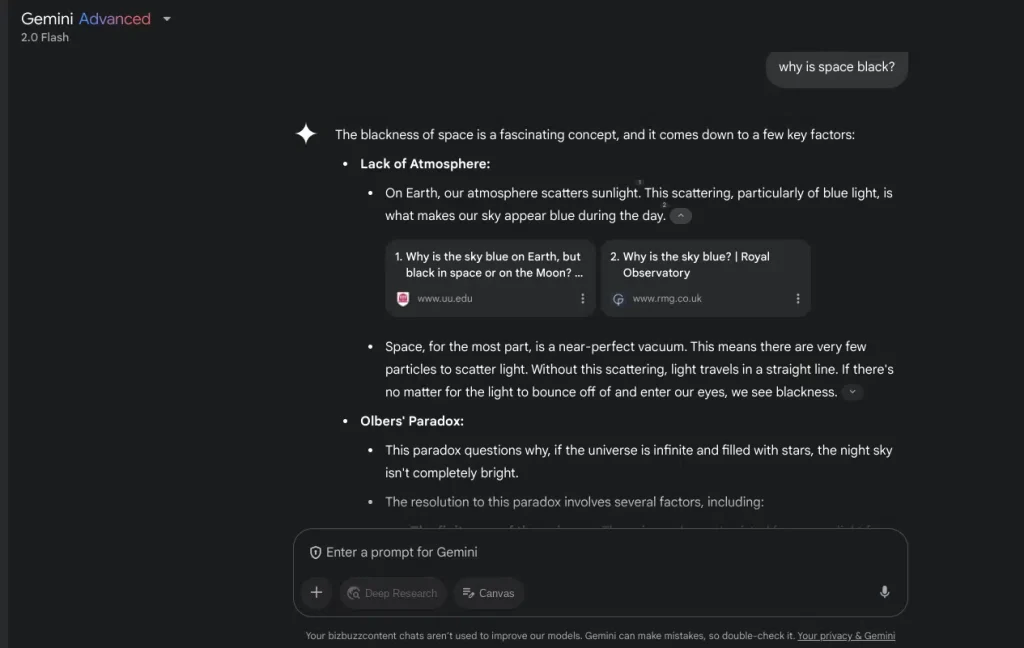
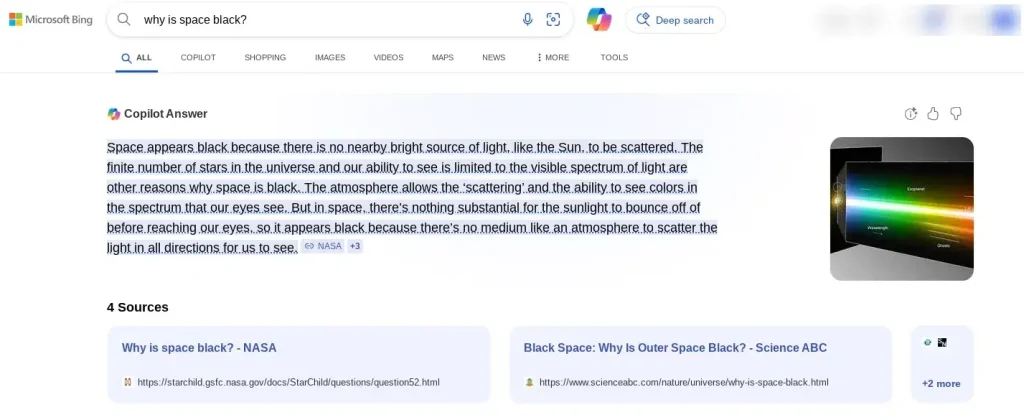
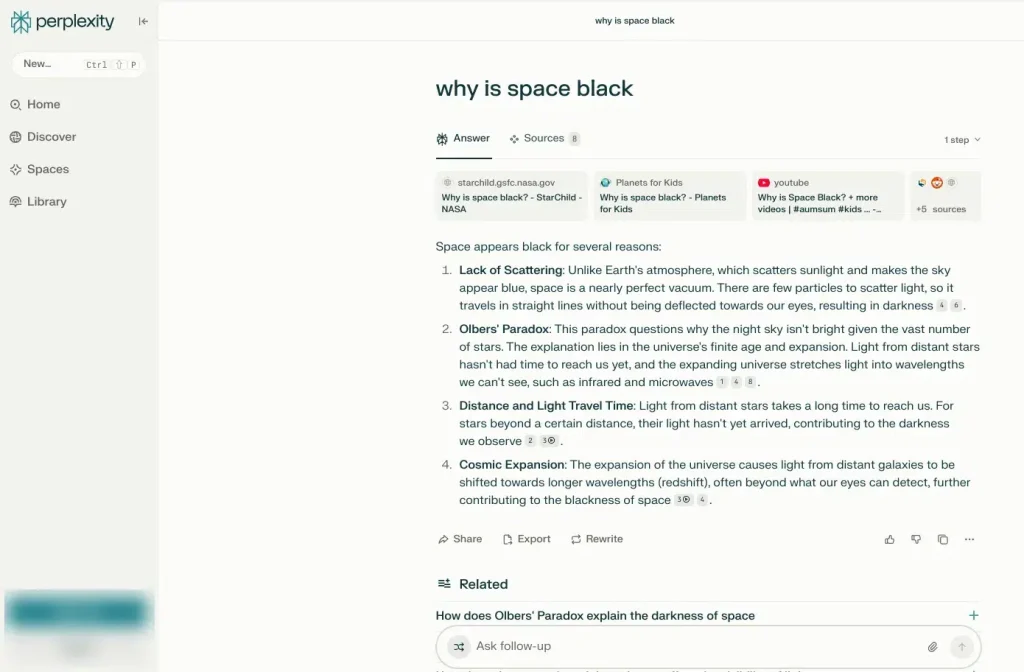
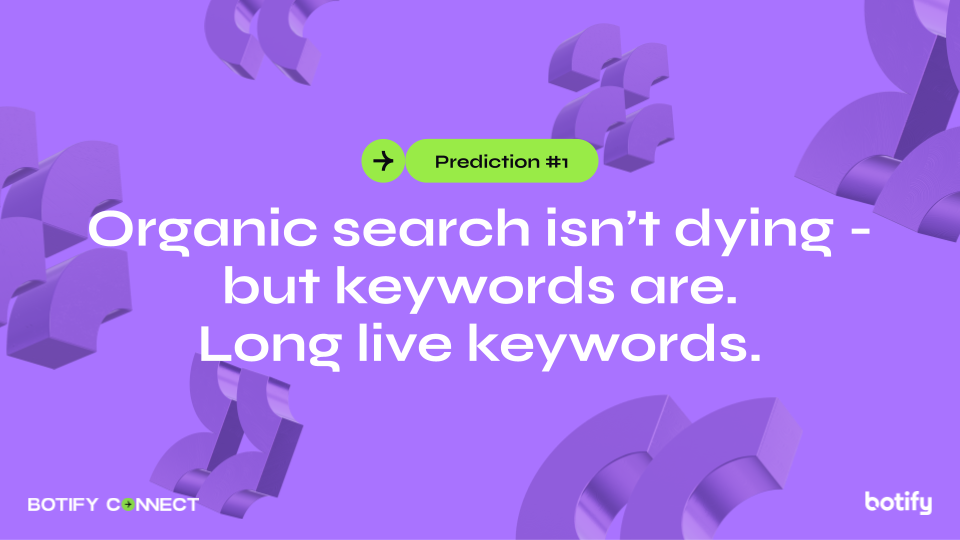
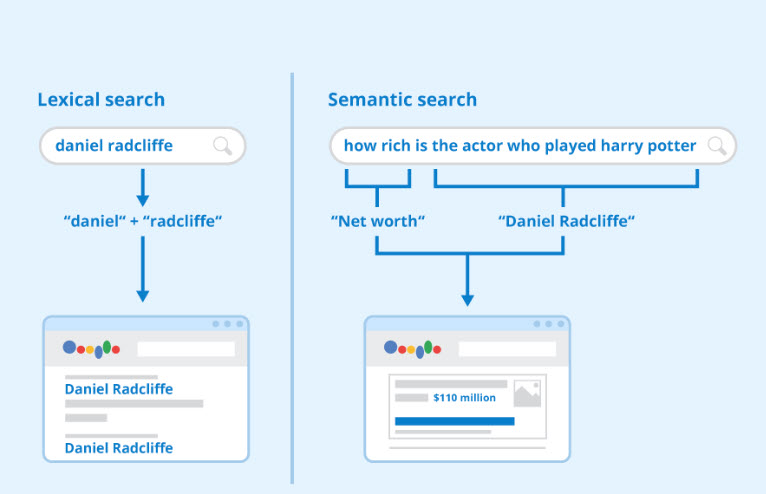
AI OverviewsからYouTubeのアルゴリズムまで、ほぼすべてのオーガニック検索システムは、視聴時間、滞在時間、離脱率などの行動シグナルに依然として大きく依存しています。しかし、検索結果として表示されるものは変化しています。検索エンジンは今やクエリ(検索語句)をセマンティック(意味的)に展開し、トピッククラスターを活用しています。それでもSEO業界は、時代遅れのフレームワークに戦略を無理やり当てはめ続けています。
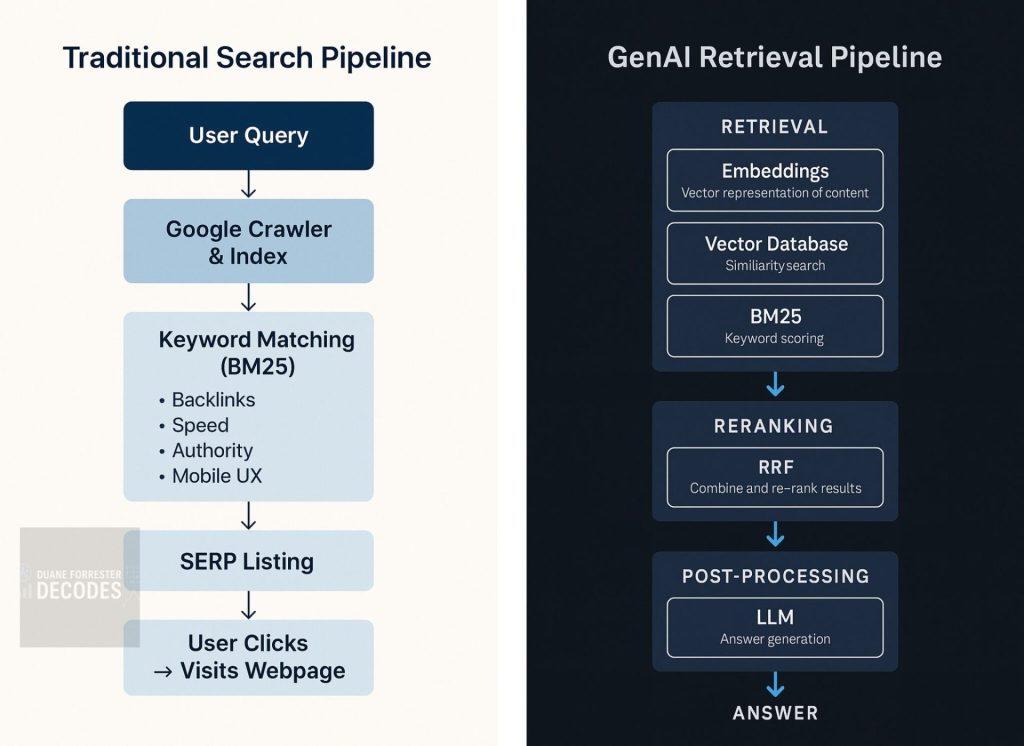
これまでの自然検索では、ページ上の特定のキーワードを探してSERP(検索結果ページ)でのランクを決定するため、一部の無関係なコンテンツが高いエンゲージメントを獲得し、良いパフォーマンスを示すことがあります。一方AIは関連性のあるソースから特定の文章やフレーズを探します。そして、それらを見つけるためにサイトの深くまで入り込みます。実際、Google AI Overviewsの引用の82%は深いページから来ています。
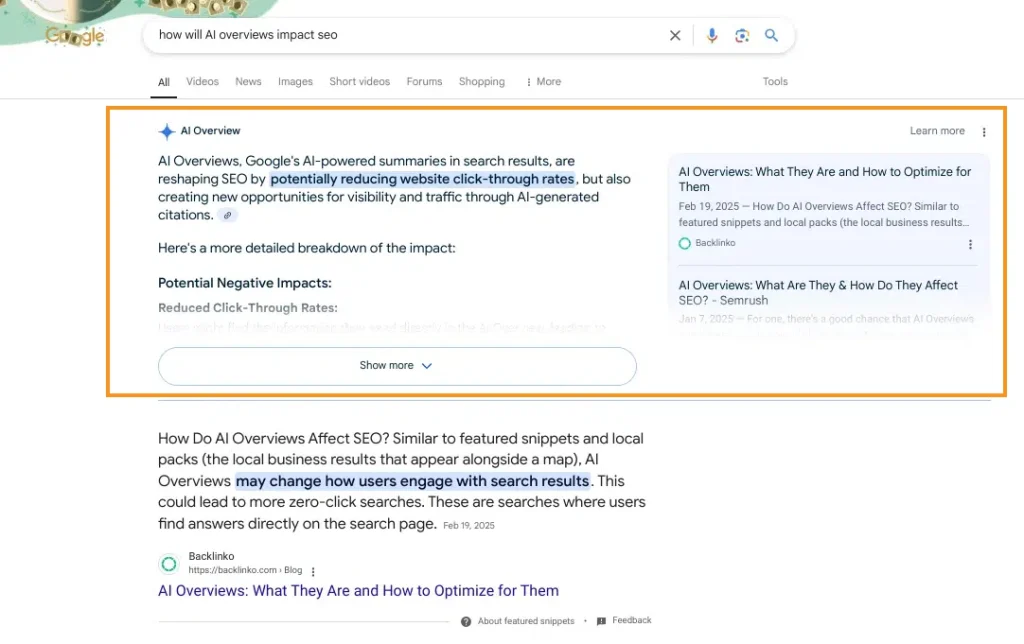
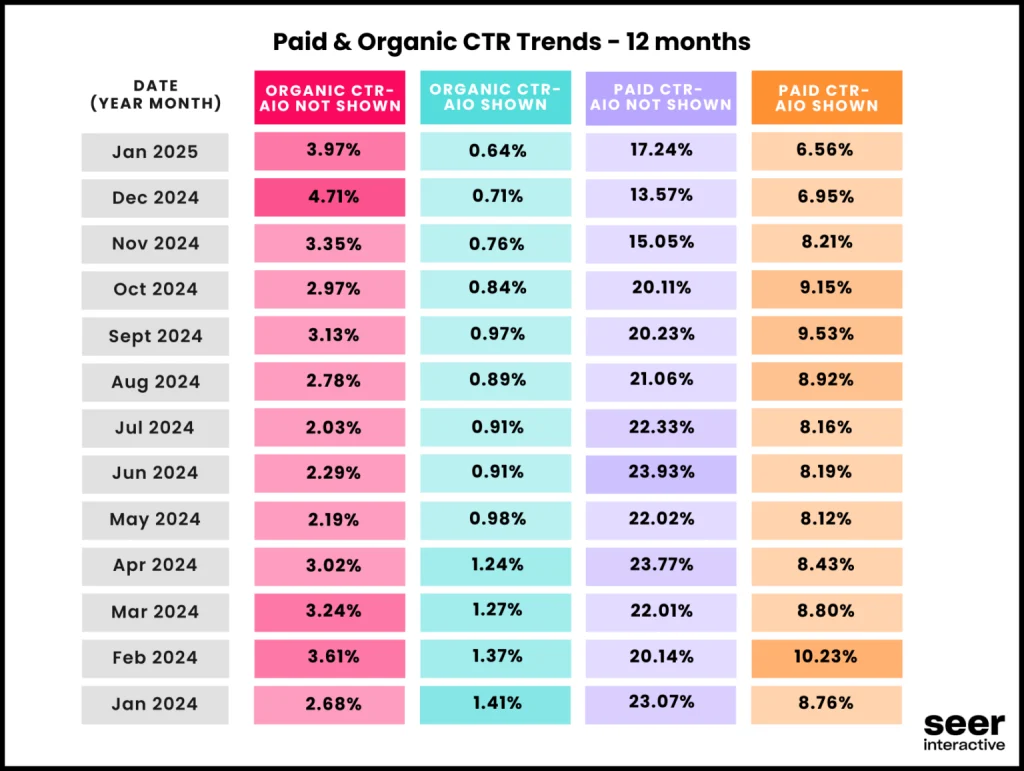
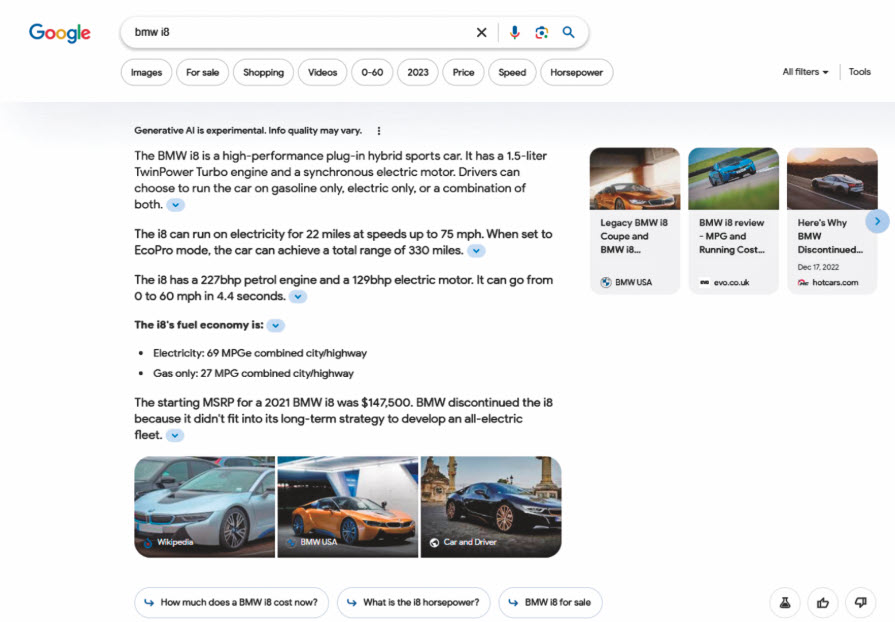
AI OverviewsはGeminiモデルが複数サイトを統合して要約を生成する検索機能です。2024年5月から米国でデフォルト提供が始まり2025年までに世界10億ユーザーへ拡大予定となっています。 米Ahrefs調査では、AIO表示クエリが半年で2倍に増え、クリック数は平均34%減少したとの報告もあり、また別の調査では生成枠内に引用されるページは概ね「上位12位以内」「構造化済み」「権威サイト」の傾向が強いとのレポートもあります。
AI Overviewに取り上げられると、引用元へのクリックが増える傾向があり、特に取引意図のあるクエリではその傾向が顕著です。こちら(Adi Srikanth氏のAIOがWebトラフィックに与える影響を探る)の調査では、トランザクショナルクエリ(何かをしたいという取引型のクエリ)においてAI Overviewに引用されたページのクリック数は、引用されなかったページの約3.2倍に達していました。情報検索クエリの場合でも、約1.5倍の差が見られました。
なお、ウェブサイト管理者は、自分のサイトの情報が AI 生成回答に利用されるかどうかを制御できます。 たとえば「Google-Extended」をrobots.txtでブロックするように記述できますが、これを行うことでGoogleがGeminiなどのAIモデルがあなたのサイトを学習や回答生成に使うことを禁止できます。この設定をしてもGoogleの検索ランキングには影響しませんが、Geminiが生成するAI回答であなたのコンテンツが使われることはなくなります。
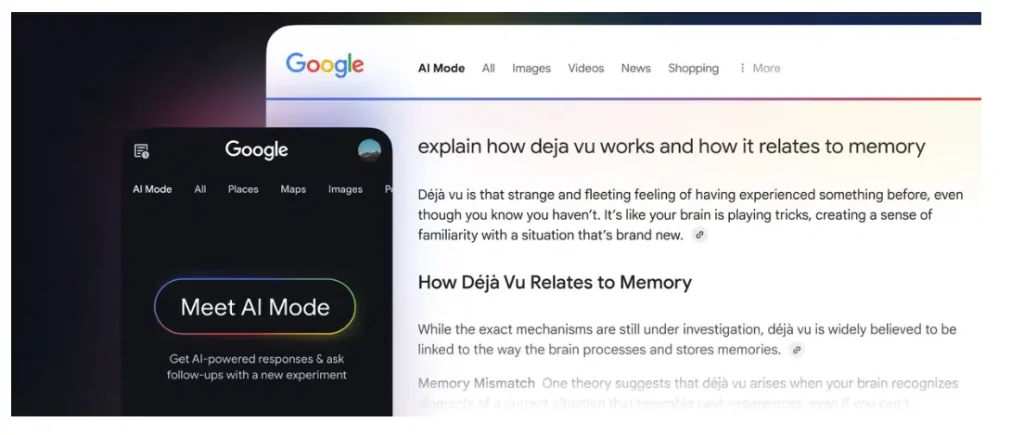
Search Engine Land によれば、Googleは「AIモードもAI Overview同様、ユーザーが関連情報やアクションにつながるコンテンツを見つけやすくするため、応答の中に関連リンクを表示します。どのタイミングでリンクを挿入するかについては、AIモデルが学習を重ねています」と述べています。たとえば、ユーザーがチケット予約などの具体的なアクションを起こす可能性がある場合には、リンクが積極的に表示されます。また、ハウツー系の検索では、画像や動画など視覚的な情報を優先的に提示する判断も行います。
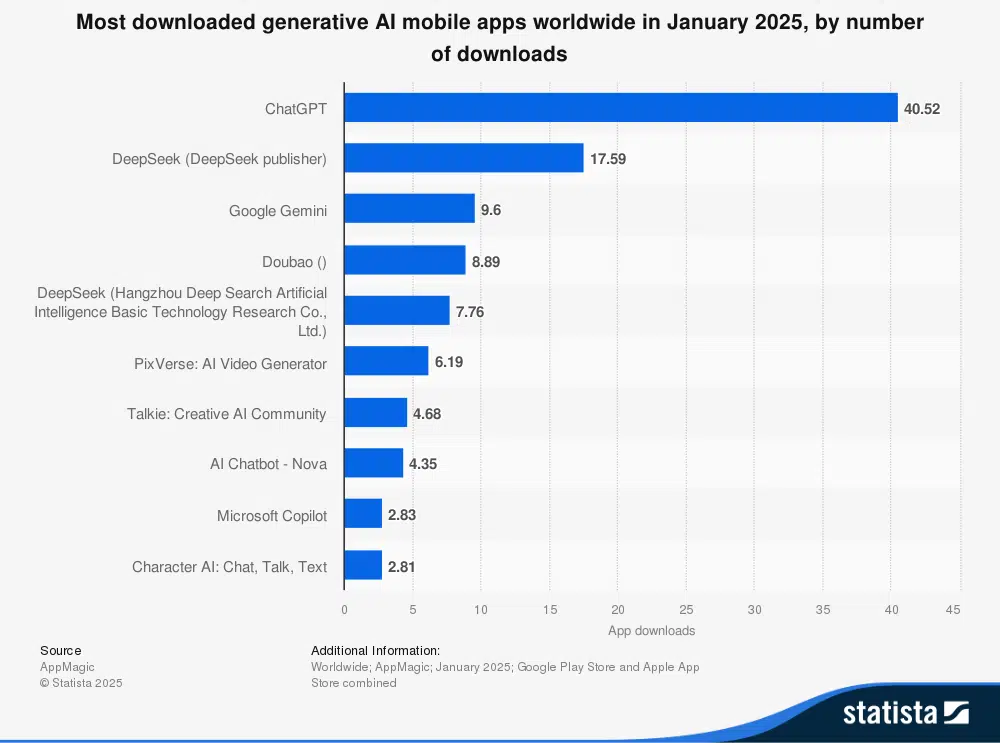
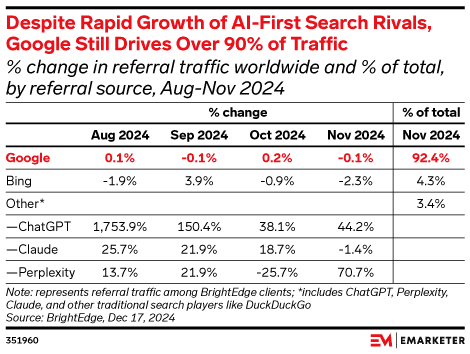
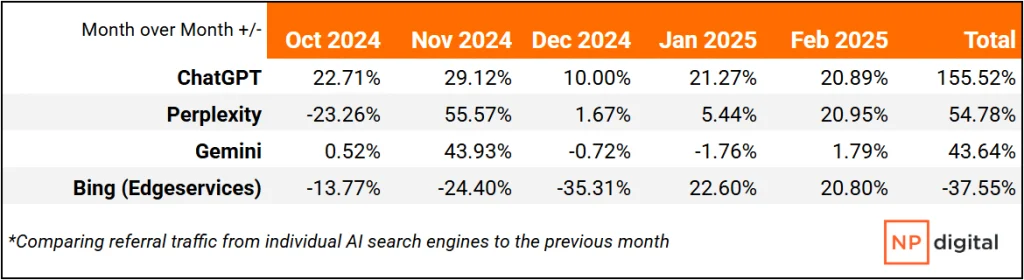
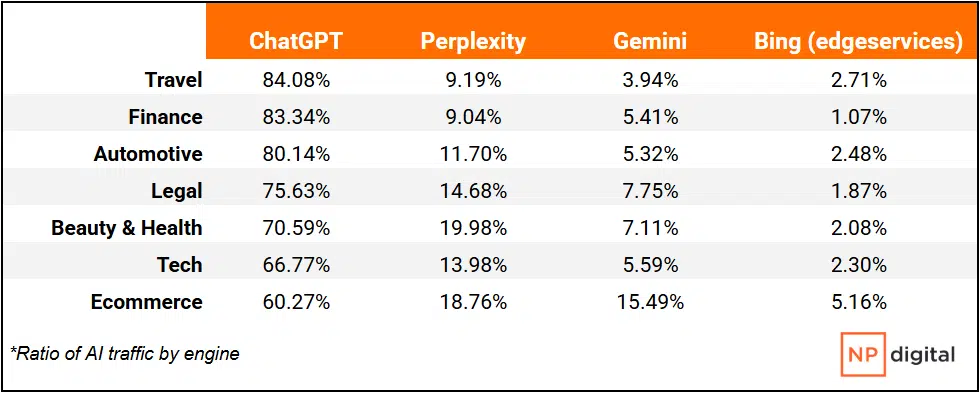
画像クレジット:「中小企業のウェブサイトではChatGPTやその他のAIエンジンからのトラフィックが増加している」ウィリアム・カマー、Search Engine Land画像クレジット:「中小企業のウェブサイトではChatGPTやその他のAIエンジンからのトラフィックが増加している」ウィリアム・カマー、Search Engine Land
Google AI OverviewやChatGPT検索などの生成AIは、検索インデックスやWeb上の信頼できる情報を基に回答を生成します。特にGoogle AI Overviewは検索上位20位以内のページを中心に、Perplexityは独自クローラーで収集した信頼ソースを優先しているとされています。
SEO Japan編集部より:先日話題になったiPullRank社のMike King氏の記事と同様に、「クリック外の可視性」をKPIにする方向を提唱しており、いずれも「機械が読む単位」で情報設計する必要を説いています。 一方で、当記事では短期タスクを中心に「今すぐできるTodoリスト」を示しており、ここで紹介されていることに取り組みつつ(llms.txtは懐疑的ですが)、今後の大きな方針としては、次のゲーム盤そのものを解説しているiPullrank記事を基に、組織とデータ基盤の再設計を検討すると良いかもしれません。AI Modeの対応について、わかりやすくかみ砕いた当社遠藤のブログ記事も併せてご確認ください。
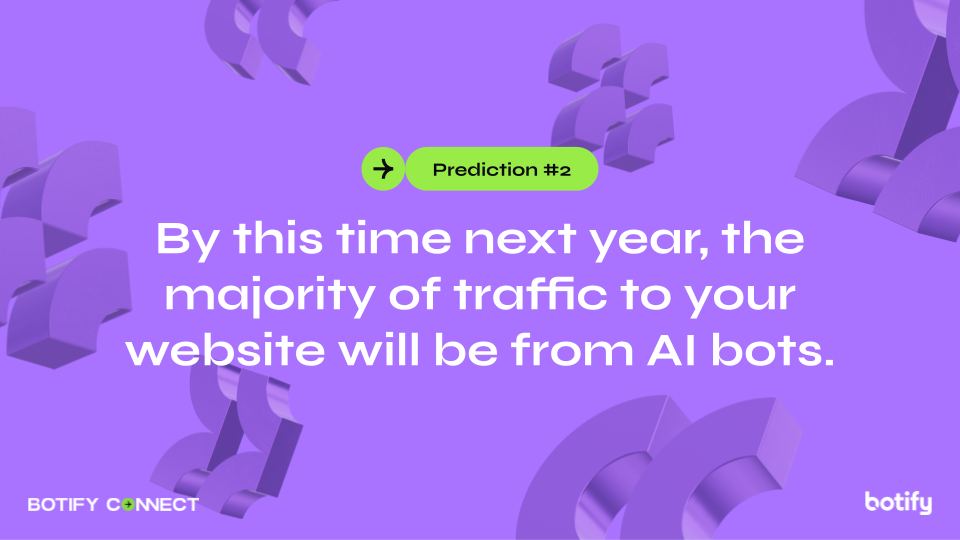
SEO Japan編集部より:現時点では生成AIからの流入は1%以下のサイトが多いでしょう。ただし、生成AIをリファラとする流入数は、当社の解析ツールを見る限り、直近昨月比約120%前後で増加しています。現時点での割合で見れば大したことはありませんが、そこに顧客がいることは確かです。1件、2件の良質なCVが事業にインパクトを与える領域では、無視できない数といえます。
SEO Japan編集部より:現時点では「無視される可能性の高い、形だけの仕様」という扱いで、Googleとしても“実装したからといって効果があるとは限らない”というスタンス。OpenAIやAnthropicなど主要な生成AI企業側も対応を明言しているわけではなく、「企業側が出力を制御したい気持ちは理解できるが、果たしてそれが成立するかは別問題」といった空気感が漂っています。
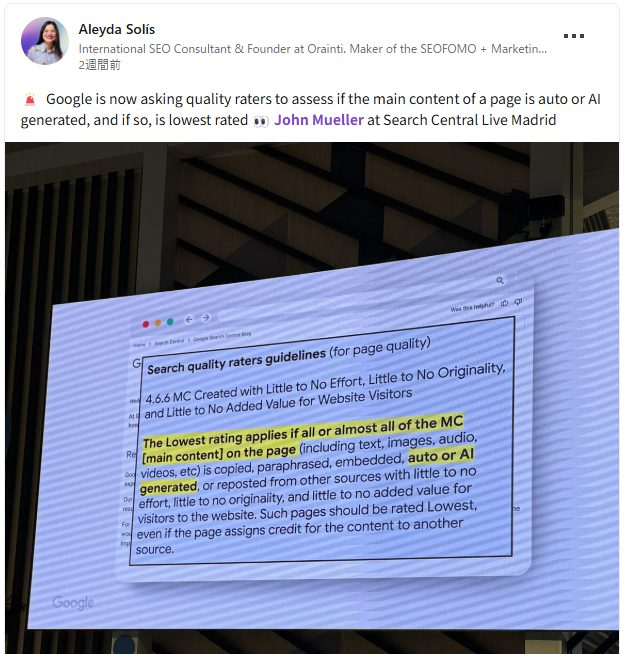
この変更は、Googleのシニア検索アナリストであり検索リレーションズチームを率いるジョン・ミューラー氏が、マドリードで開催された「Search Central Live」で明かしたものです。同氏によれば、Googleは品質評価者に対し、メインコンテンツが自動化された手段、または生成AIツールによって作られているページを特定し、それらを「最低品質」と評価するよう求めているとのことです。 この方針は、Aleyda Solis氏が2025年1月の品質評価ガイドライン更新に関する情報をLinkedInで共有したことで、業界に広まりました。以下に、今回のガイドライン改定で注目すべきポイントをまとめます。
25/04/09 LinkedInでAleyda Solis が共有した情報
🚨 Google is now asking quality raters to assess if the main content of a page is auto or AI generated, and if so, is lowest rated 👀 John Mueller at Search Central Live Madrid
セクション 4.6.6は、ジョン・ミューラー氏も、Search Central Liveの講演でこのセクションに特に言及し、次のように強調しています: 「ページ上のメインコンテンツ(テキスト、画像、音声、動画など)のすべて、あるいはほとんどが、ほとんどまたは全く労力をかけず、独創性も付加価値も伴わずにコピーや言い換えで作られている場合、そのページは“最低評価”とされるべきです。」
コンテンツをAIモデルや検索インデックスにプッシュする:ブランドにとって重要なボットを特定したら、IndexNowやPush to Bingなどのツールを活用して、コンテンツを検索インデックスやAIモデルにプッシュします。これにより、ライブ検索でコンテンツが参照され、消費者向けに生成されたAIコンテンツに正確に表示されるようになります。
これは、この分野に存在する SEO の問題のほとんどがページ レベルで発生するためです。各クエリに勝つためには、カスタムで思慮深いコンテンツとユーザー エクスペリエンスの取り組みが必要です。Amazon のような企業では、インフラストラクチャを数千ページに拡張し、クロールバジェットなどを考慮する必要があることが多いため、、小規模な Web サイトで大規模な分析を行うことはほとんどありません。
やはりUX、コンテンツ、そして獲得が難しい自然リンクにフォーカスされた内容でした。シミュレーターがコンテンツとしてもリンク獲得の側面でも活路となる点は非常にうなずけます。「とは」に位置するコンテンツおいても、長期的なランキングを達成するためにスクロールせずに見える範囲で、簡潔な回答を提供する重要性を説いています。いわゆる「ゼロクリック対策」にも手を伸ばす必要がありそうですね。 – SEO Japan
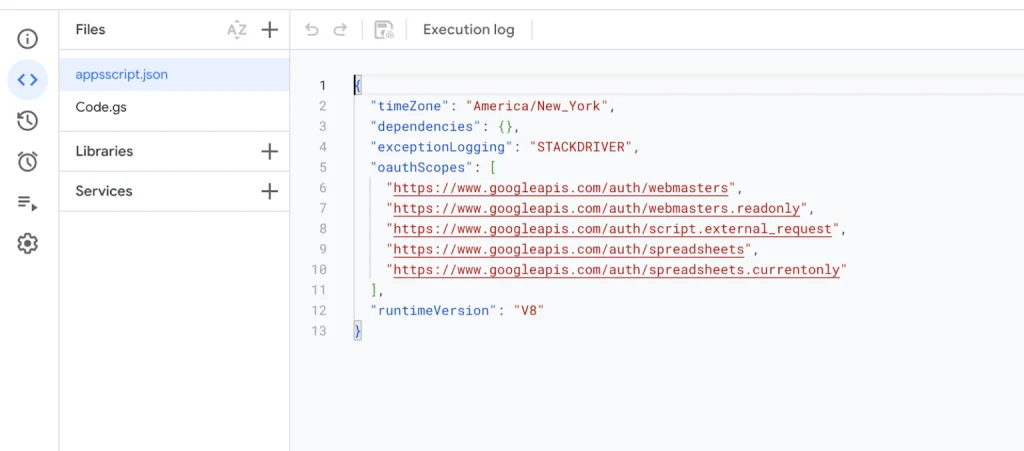
// Store the OAuth token and logs in script properties const scriptProperties = PropertiesService.getScriptProperties(); const OPENAI_URL = “https://api.openai.com/v1/chat/completions”; const SYSTEM_MESSAGE = { role: “system”, content: “You are a helpful SEO expert.” };
function resetLogs() { scriptProperties.deleteProperty(‘customLogs’); // Clear logs for a new execution }
function getLogs() { return scriptProperties.getProperty(‘customLogs’) || ‘No logs available.’; }
function fetchOAuthToken() { let token = scriptProperties.getProperty(‘oauthToken’); if (!token) { token = ScriptApp.getOAuthToken(); scriptProperties.setProperty(‘oauthToken’, token); log(‘OAuth token fetched and stored.’); } return token; }
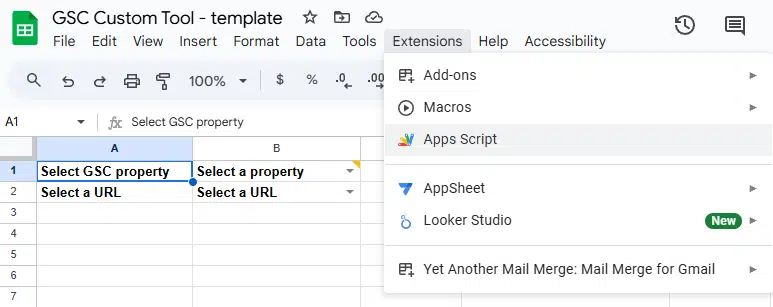
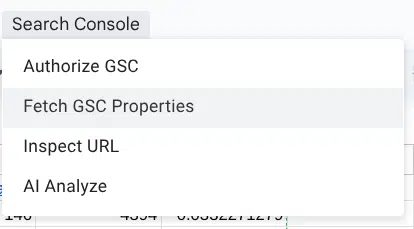
function onOpen() { const ui = SpreadsheetApp.getUi(); ui.createMenu(‘Search Console’) .addItem(‘Authorize GSC’, ‘promptReauthorization’) .addItem(‘Fetch GSC Properties’, ‘fetchGSCProperties’) .addItem(‘Inspect URL’, ‘inspectUrl’) // Add the Inspect URL button .addItem(‘AI Analyze’, ‘aiAnalyze’) // Add the AI Analyze button .addToUi(); }
function promptReauthorization() { const ui = SpreadsheetApp.getUi(); const response = ui.alert( ‘Re-authorize Script’, ‘Re-authorizing will revoke current permissions and require you to authorize again. Do you want to continue?’, ui.ButtonSet.YES_NO );
if (response === ui.Button.YES) { try { scriptProperties.deleteProperty(‘oauthToken’); // Clear old token const token = fetchOAuthToken(); // Fetch and store new token log(“OAuth Token: ” + token); ui.alert(‘Authorization successful. No further action is required.’); } catch (e) { ui.alert(‘Authorization failed: ‘ + e.toString()); } } else { ui.alert(‘Re-authorization canceled.’); } }
if (!urls || urls.length === 0) { sheet.getRange(‘A2’).setValue(‘No URLs found’).setFontWeight(‘bold’); sheet.getRange(‘B2’).clearContent(); log(`No URLs found for property ${selectedProperty}`); return; }
sheet.getRange(‘A2’).setValue(‘Select a URL’).setFontWeight(‘bold’); sheet.getRange(‘B2’).setDataValidation( SpreadsheetApp.newDataValidation() .requireValueInList([‘Select a URL’].concat(urls), true) .build() ); sheet.getRange(‘B2’).setValue(‘Select a URL’).setFontWeight(‘bold’); }
// Clear previous inspection results in A15:D30 sheet.getRange(‘A15:D30’).clearContent(); sheet.getRange(‘A15’).setValue(‘Inspecting…’).setFontWeight(‘bold’);
if (!url || url === ‘Select a URL’) { SpreadsheetApp.getUi().alert(‘Please select a valid URL in cell B2 before inspecting.’); sheet.getRange(‘A15’).setValue(‘No URL selected’).setFontWeight(‘bold’); return; }
const oauthToken = fetchOAuthToken();
try { const result = callUrlInspectionApi(property, url, oauthToken);
if (responseCode === 200) { const jsonResponse = JSON.parse(responseText);
if (jsonResponse && jsonResponse.inspectionResult) { return jsonResponse.inspectionResult; } else { log(`Unexpected API Response Structure: ${responseText}`); throw new Error(‘Unexpected API response format. “inspectionResult” field is missing.’); } } else { log(`Failed API Call: ${responseText}`); throw new Error(`Failed to inspect URL. Response Code: ${responseCode}. Response: ${responseText}`); } } catch (error) { log(`Error during API call: ${error}`); throw new Error(`Error inspecting URL: ${error.message}`); } }
function callChatGPT(prompt, temperature = 0.9, maxTokens = 800, model = “gpt-3.5-turbo”) { const sheet = SpreadsheetApp.getActiveSpreadsheet().getActiveSheet(); const secretKey = sheet.getRange(‘D1’).getValue().trim(); // Retrieve the OpenAI API key from D1
if (!secretKey) { throw new Error(“API Key is missing in cell D1. Please provide a valid OpenAI API key.”); }
if (responseData.choices && responseData.choices[0] && responseData.choices[0].message) { return responseData.choices[0].message.content.trim(); } else { log(“Unexpected response format from OpenAI: ” + JSON.stringify(responseData)); return “Sorry, I couldn’t process the request.”; } } catch (error) { log(“Error calling OpenAI API: ” + error); return “Sorry, there was an error processing your request.”; } }
// Validate input fields if (!url || keywords.length === 0 || inspectionData.some(row => row.length < 2 || !row[0].trim() || !row[1].trim())) { SpreadsheetApp.getUi().alert(“Ensure the following are filled before running AI Analyze:\n- URL in B2\n- Keywords in A3:A12\n- Inspection data in A16:B20”); return; }
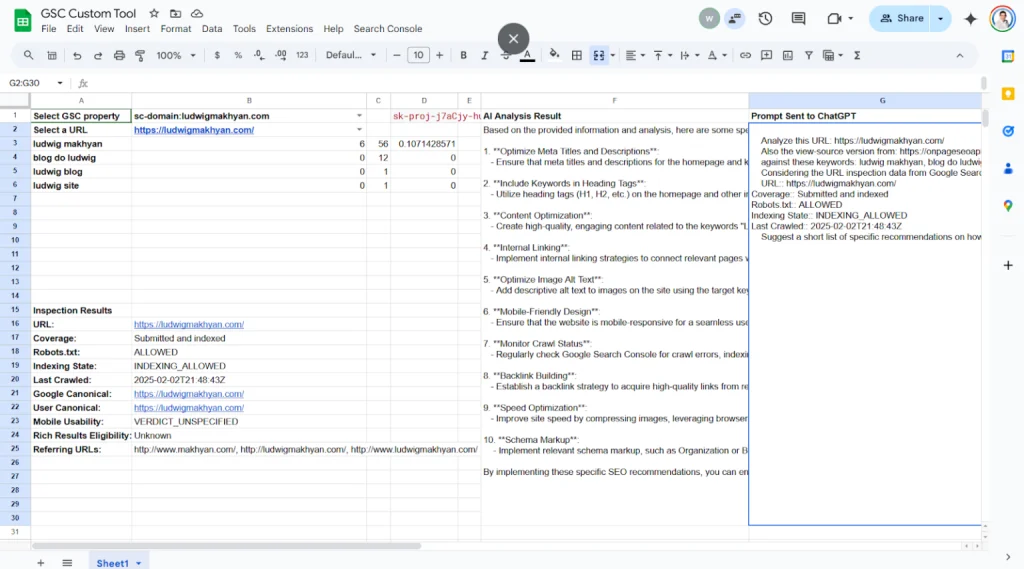
// Prepare the prompt for ChatGPT const prompt = ` Analyze this URL: ${url} Also the view-source version from: ${url} against these keywords: ${keywords.join(“, “)} Considering the URL inspection data from Google Search Console: ${inspectionData.map(row => `${row[0]}: ${row[1]}`).join(“\n”)} Suggest a short list of specific recommendations on how I can improve the page’s SEO. Make sure the recommendations include details such as change this to that, or add something, etc… Be concrete with SEO recommendations. `;
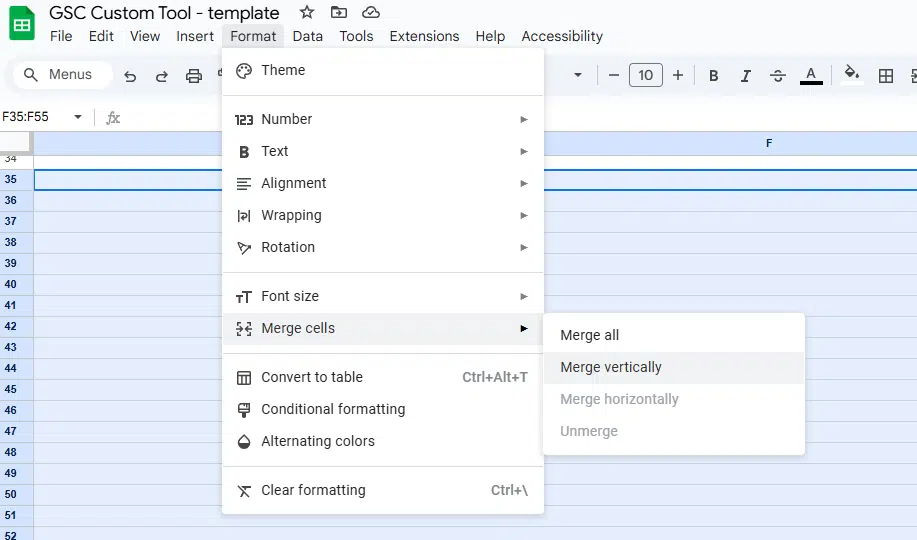
// Display the prompt in G1 sheet.getRange(‘G1’).setValue(“Prompt Sent to ChatGPT”).setFontWeight(“bold”); sheet.getRange(‘G2:G30’).clearContent(); // Clear previous content in column G sheet.getRange(‘G2:G30’).merge(); // Merge cells G2:G30 sheet.getRange(‘G2’).setValue(prompt).setVerticalAlignment(“top”); // Add the prompt and align to top sheet.setColumnWidth(7, 400); // Set column G width to 400px
// Call ChatGPT API const analysisResult = callChatGPT(prompt);
// Display the result in the spreadsheet (Column F) sheet.getRange(‘F1’).setValue(“AI Analysis Result”).setFontWeight(“bold”); sheet.getRange(‘F2:F30’).clearContent(); // Clear previous content sheet.getRange(‘F2:F30’).merge(); // Merge the cells sheet.getRange(‘F2’).setValue(analysisResult).setVerticalAlignment(“top”); // Add the AI result and align to top sheet.setColumnWidth(6, 400); // Set column F width to 400px
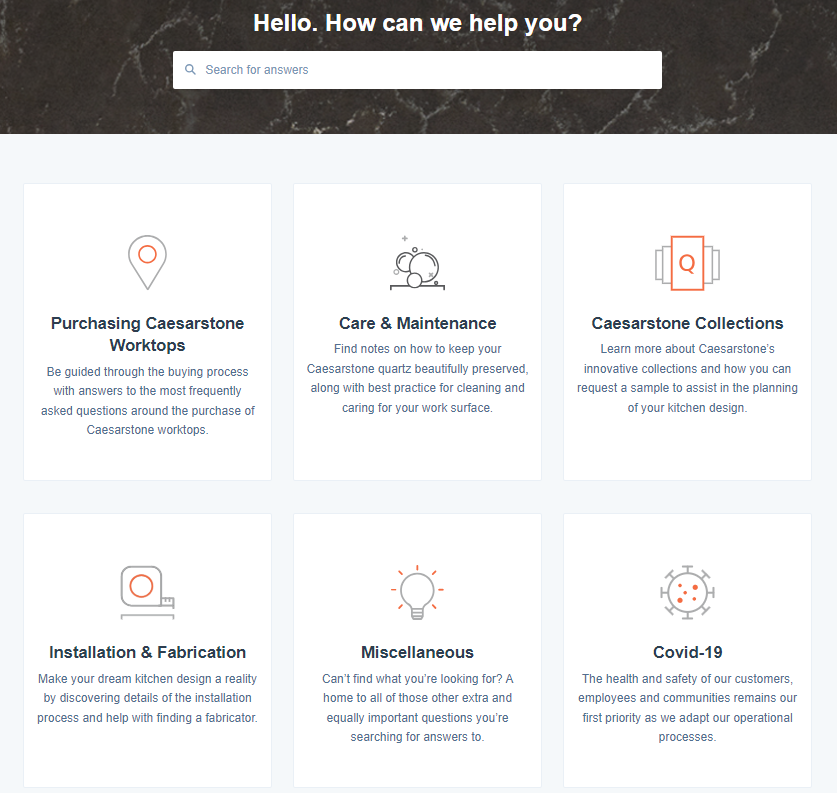
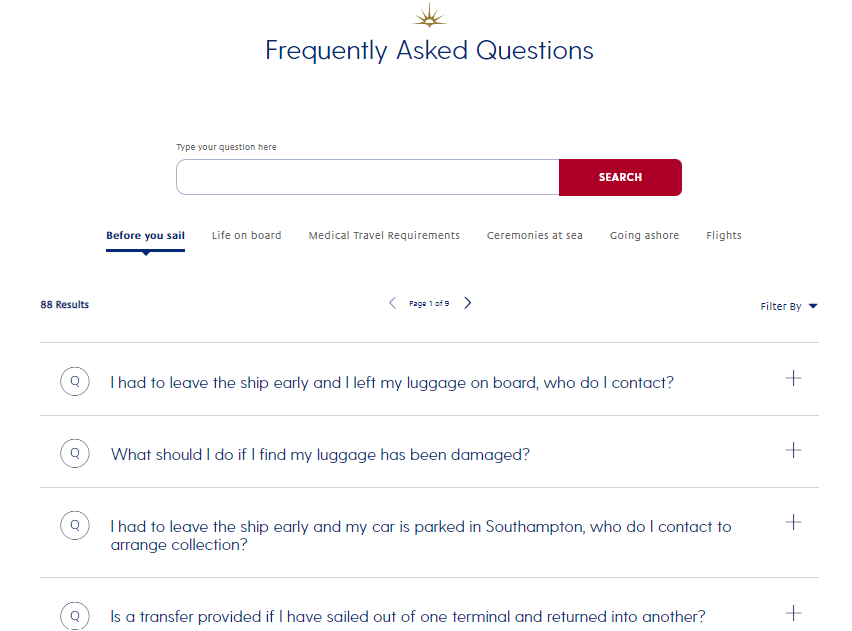
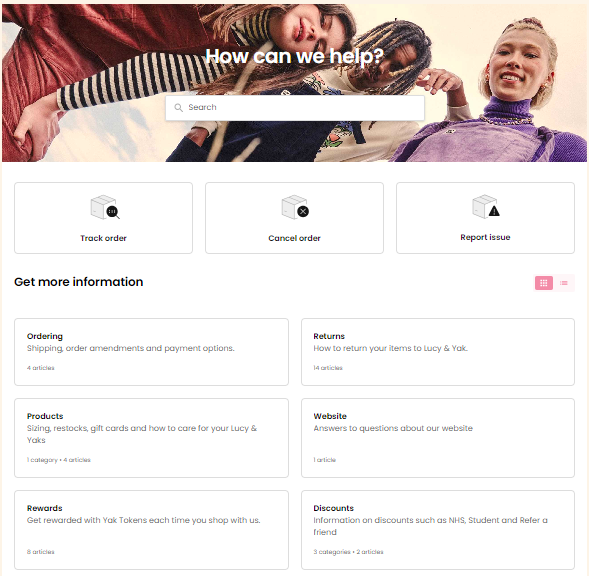
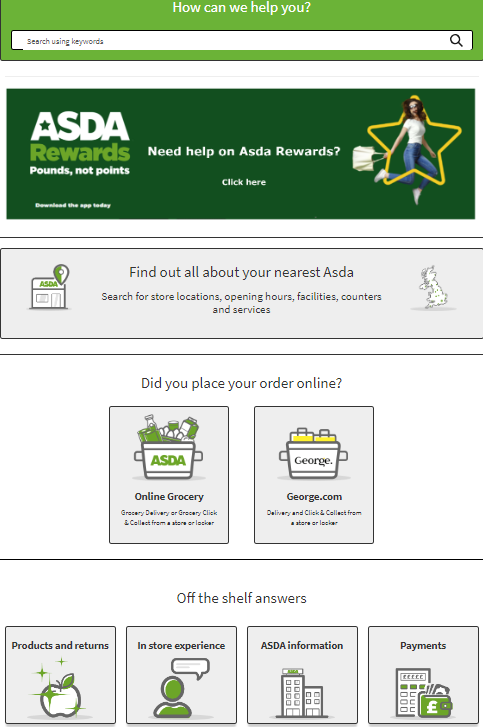
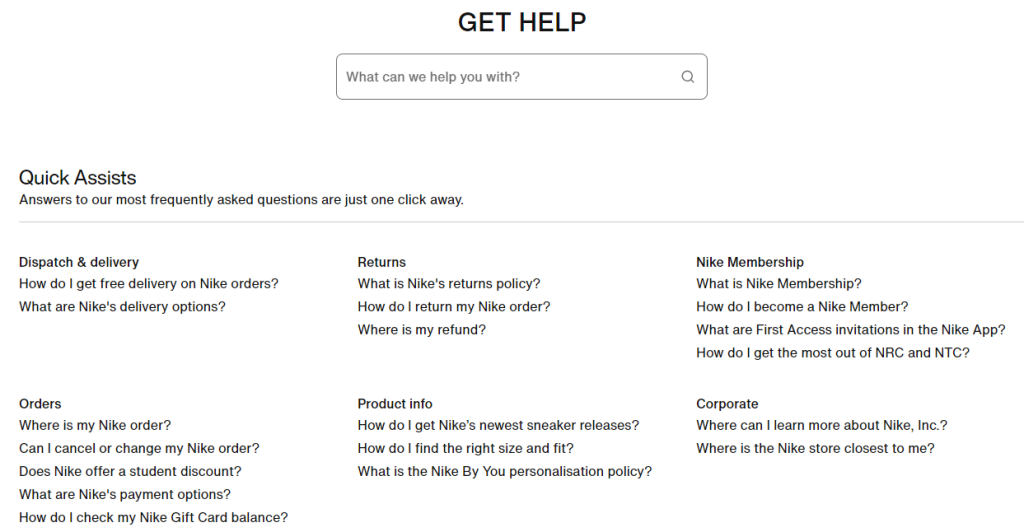
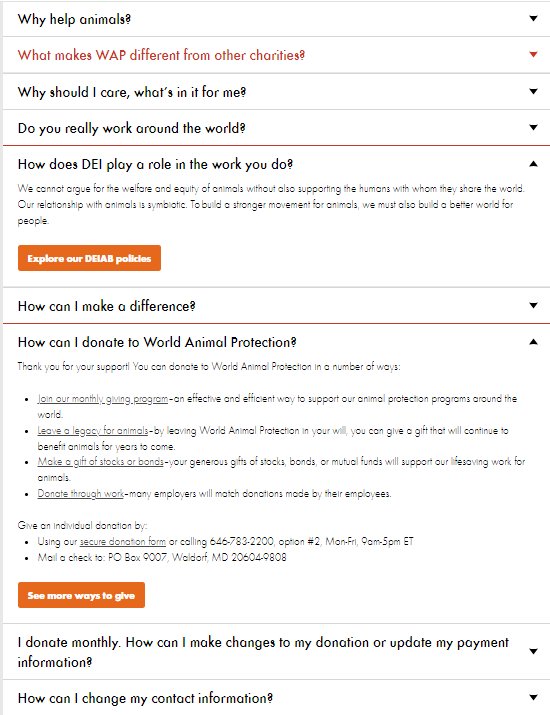
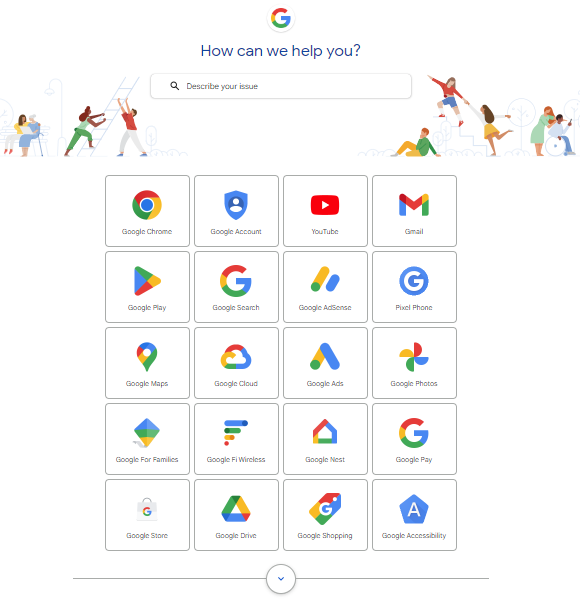
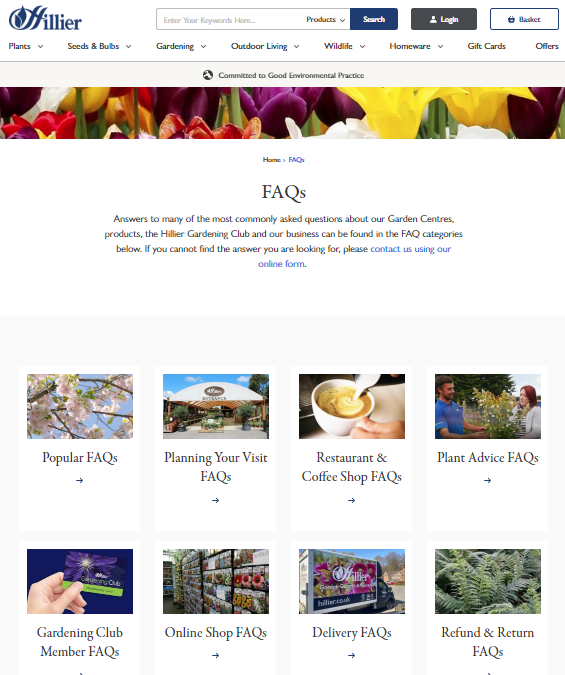
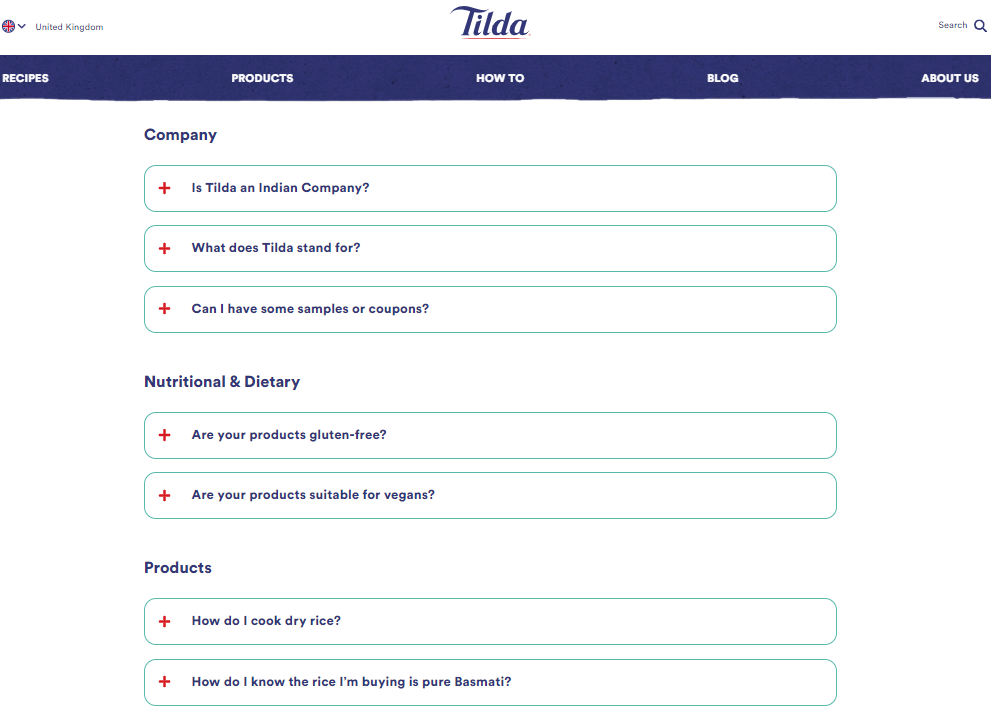
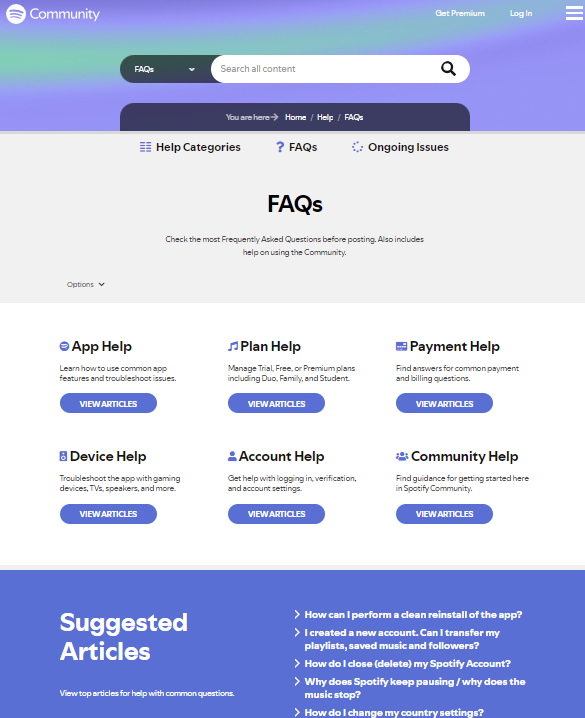
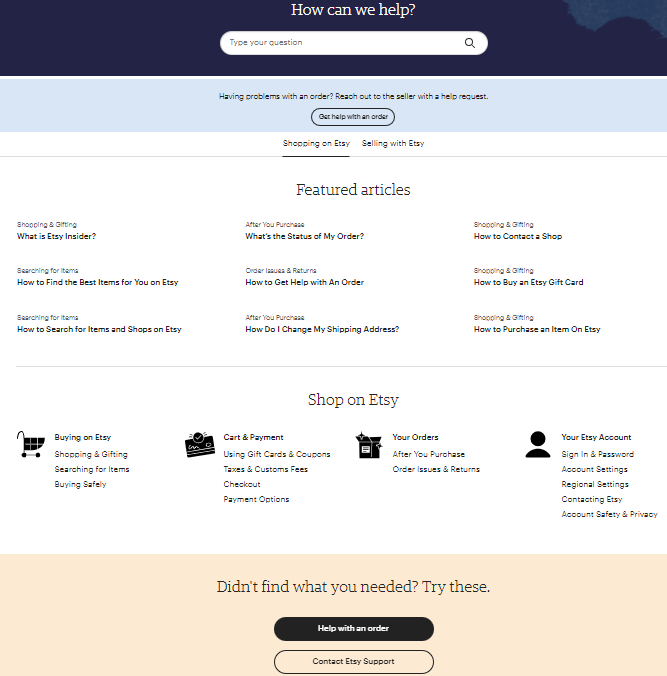
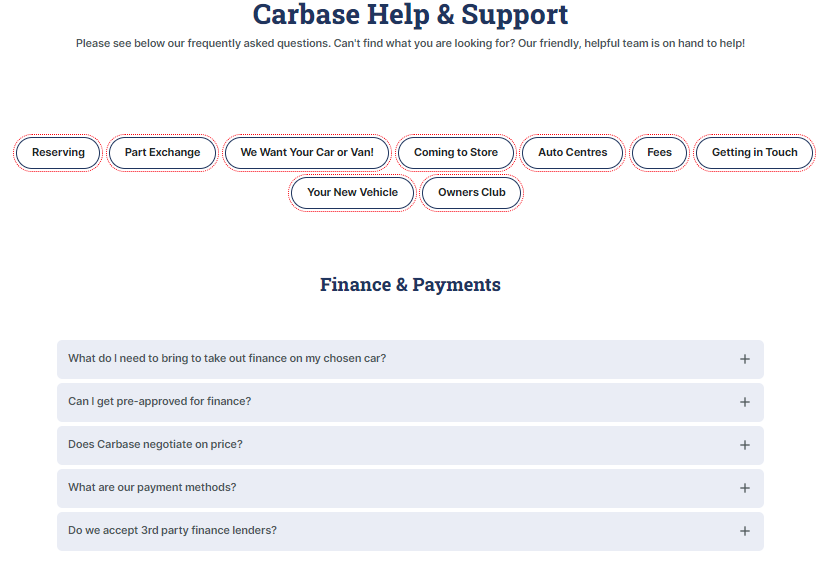
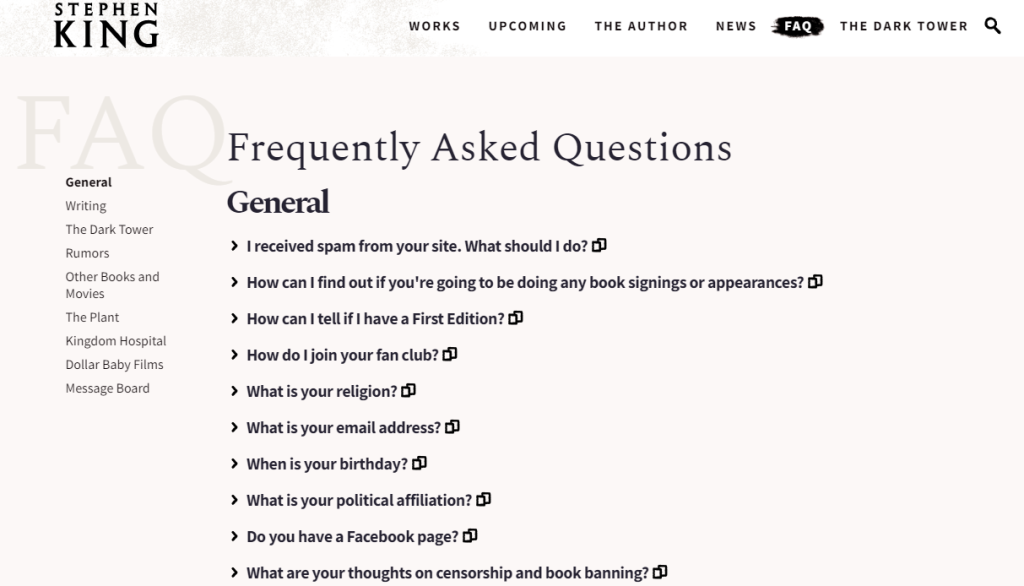
1. Caesarstone UK Caesarstone UKのFAQリソースは、一般的な質問をカスタマイズしたランディングページにグループ化し、シンプルで直感的なユーザー体験を提供しています。この例からわかるように、FAQは分かりやすく、データに素早くアクセスできる設計が重要であり、ワンクリックで回答を得られる利便性が求められます。
既存の顧客データを活用することは重要ですが、FAQセクションは多様な質問に対応する必要があるため、一般的な質問については「Answer the Public」や「Google トレンド」などの無料ツールや競合サイトを活用できます。また、In-SERP(検索結果内)の質問に答えるチャンスを逃さず、FAQコンテンツを紹介し、これらにターゲットを絞った魅力的なコンテンツを作成することが大切です。
SEO Japan(アイオイクス)は、AI検索最適化(LLMO/GEO)とSEOを統合的に支援するアイオイクス株式会社が運営する情報メディアです。2002年から20年以上にわたり、海外の最新検索動向・一次情報を翻訳・整理。生成AI(ChatGPT・Gemini・Google AI Overview)に引用される状態と、Google検索での上位表示を、ひとつの戦略として設計します。


 SEOの手法は大きく分けて、検索エンジンのアルゴリズムの「抜け穴」を悪用する「ブラックハットSEO」と、Googleのガイドラインに則り、ユーザーの利便性を追求する「ホワイトハットSEO」の2種類が存在します。両者の違いは、その哲学と手法、そして結果として生まれるユーザー体験にあります。
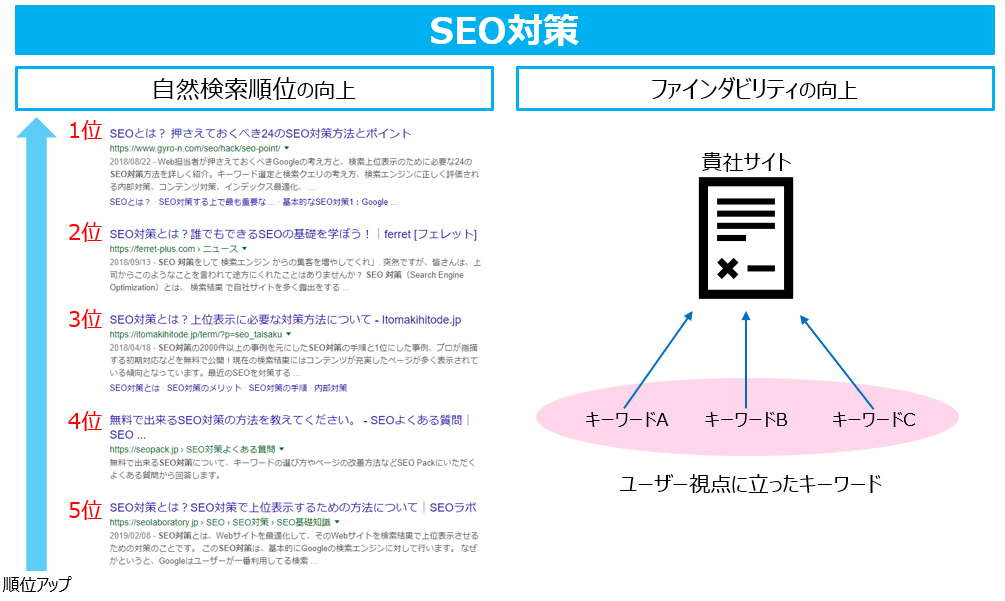
 内部対策には、大きく分けてコンテンツSEOとテクニカルSEOの2つがあります。
 ドメインの強さとは、その名の通りドメインすなわちサイトの持つ力を指しています。
 最近になって注目が集まっているのが、ユーザー体験(UX)という指標です。 検索ユーザーの役に立つというGoogleの「ユーザーファースト」の考えに基づき、使いやすくユーザーの目的が達成しやすいサイト設計が重要です。 それは、例えば、下記のようなことが挙げられます。